WebICE New Release - 15.230
WebICE 15.230 is a maintenance release that introduces several visual enhancements designed to improve overall user experience and convenience.
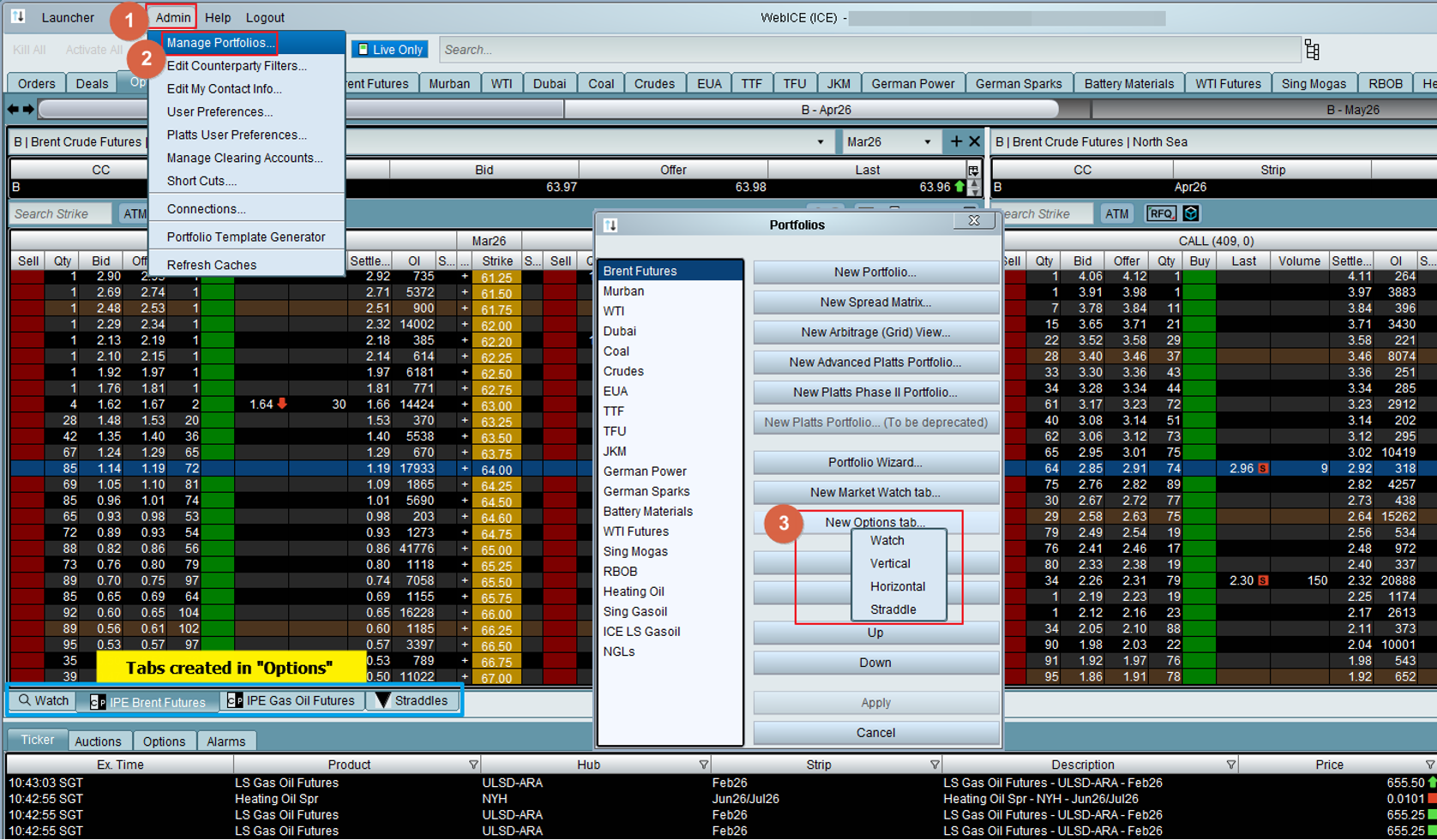
Options / Market Watch - Additional shortcuts
New shortcuts have been added to quickly create both Options and Market Watch tabs.
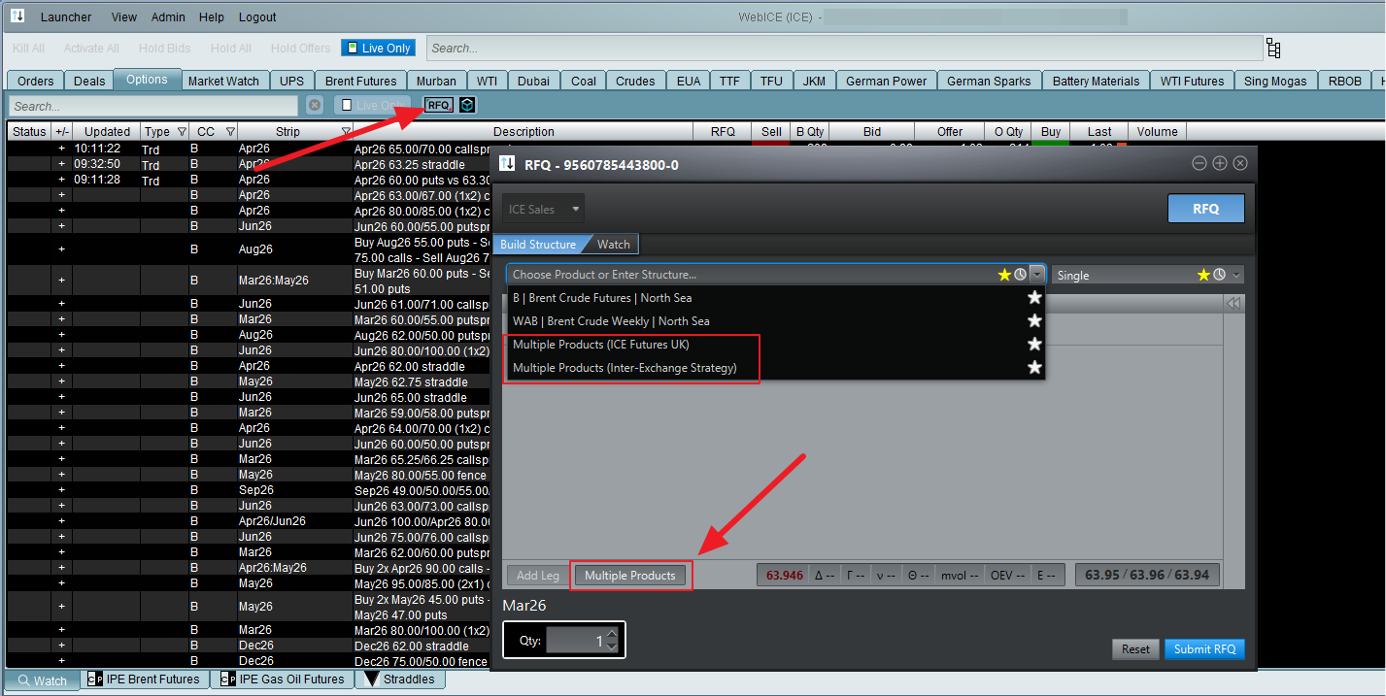
RFQ
The RFQ icon has been refreshed to better represent the function’s purpose.
Additionally, a new “Multiple Products” button has been introduced in the RFQ creation wizard to help users quickly create inter product option spreads.
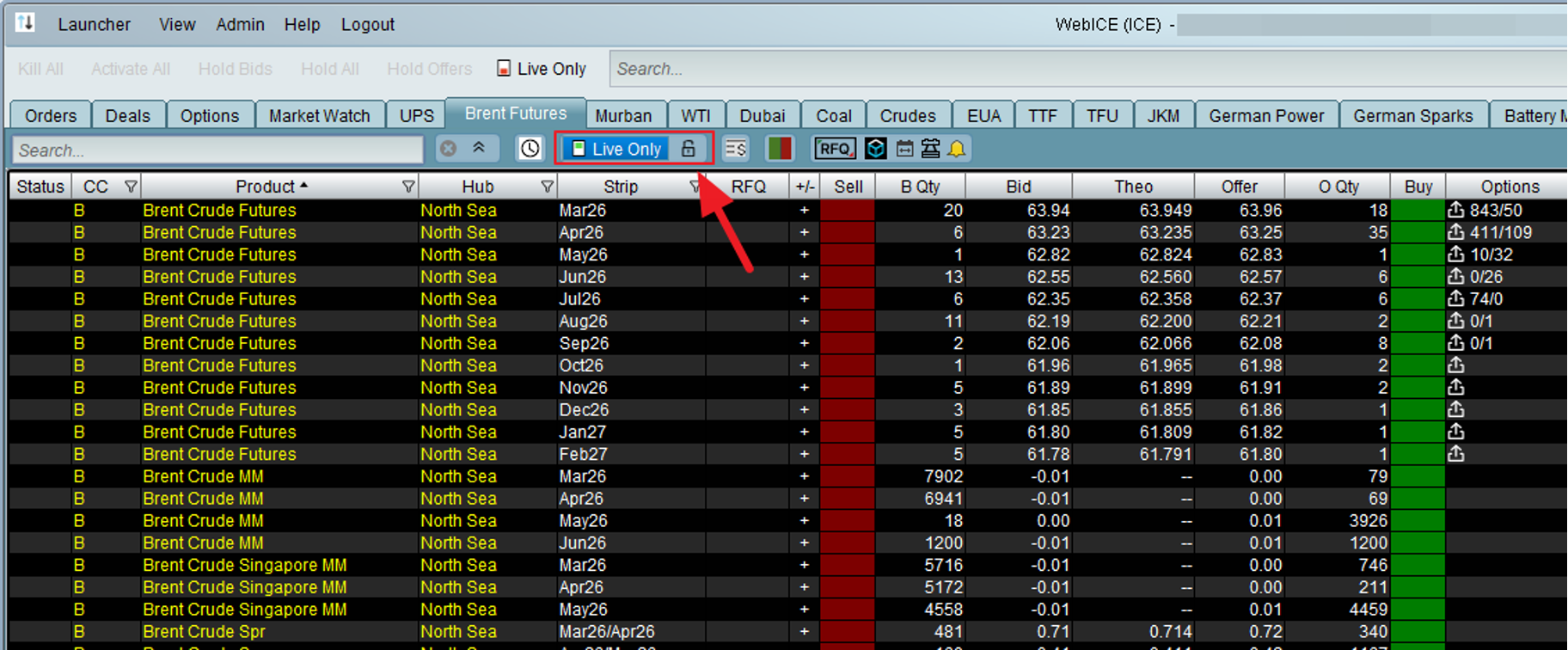
Live only
The Live Only feature has been enhanced with an option to enable or disable row insertion and deletion. When the padlock is activated, it prevents changes to row filtering while still allowing real time price updates to continue uninterrupted.
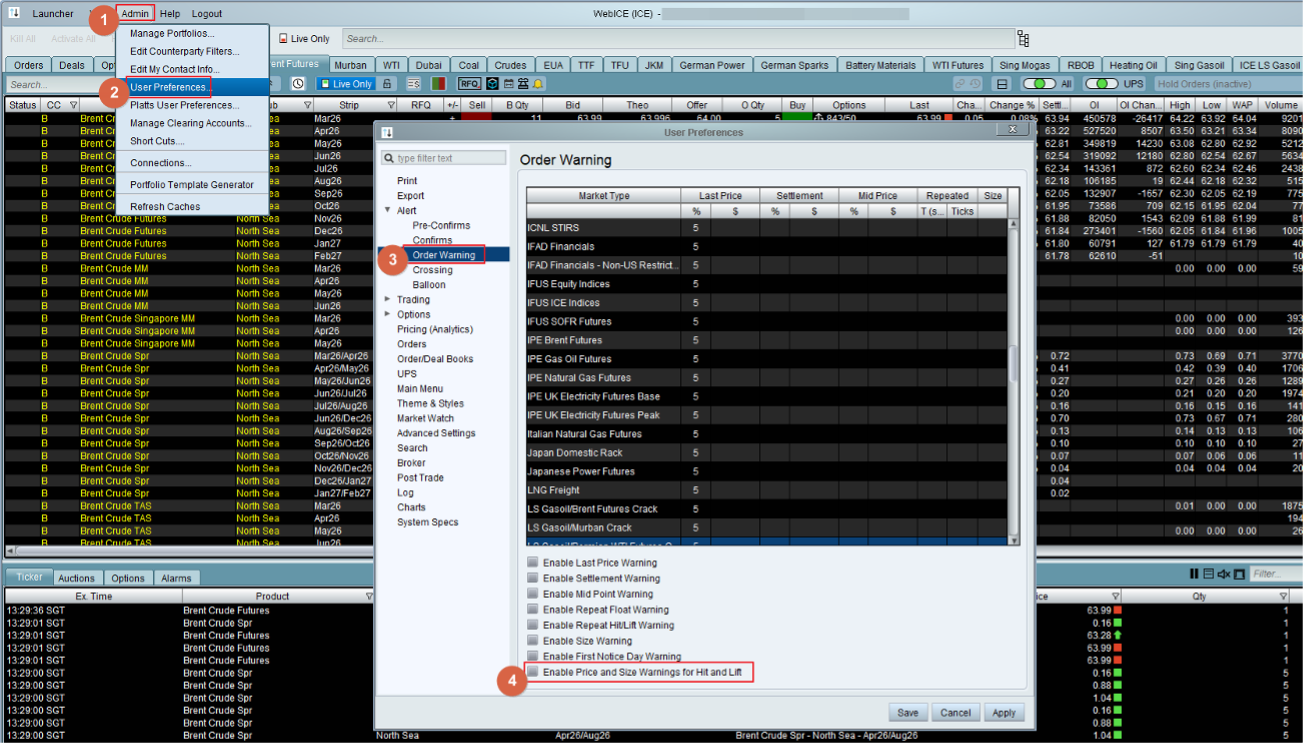
Order warnings for Hit and Lift
WebICE provides order warnings when an order price exceeds a configured threshold based on the last price, settlement price, mid price, or similar benchmarks. With this latest enhancement, these order warnings can now also be enabled for Hit and Lift actions.
ICE Block
ICE Block was revamped last year, and the updated version is now in use by standalone ICE Block users. We are now bringing this enhanced ICE Block experience into WebICE. The “Off Exchange” tab in WebICE will also launch the new ICE Block interface.
Application Programming Interface (API)
WebICE supports straight-through trade processing with your clearing firm, and your internal middle-office system. ICE Trade Capture API is available for companies to receive in real-time all the trades done (both screen and block trades) into their middle office system.
Resources
ICE Trader Dashboard
All user guides and training resources are available here. Use your ICE login details to access.
WebICE System Requirements
The specifications are intended as a guideline for ensuring optimal performance and the best WebICE experience.
WebICE Firewall & Proxy Requirements
This is a network pre-requisite for WebICE to operate.
Requires an ICE Community account.
Capital Efficient Infrastructure
As markets become interconnected, the need for pricing and transparency has increased.
ICE Trader Dashboard
All user guides and training resources are available here. Use your ICE login details to access.
WebICE System Requirements
The specifications are intended as a guideline for ensuring optimal performance and the best WebICE experience.
WebICE Firewall & Proxy Requirements
This is a network pre-requisite for WebICE to operate.
Requires an ICE Community account.
Capital Efficient Infrastructure
As markets become interconnected, the need for pricing and transparency has increased.